Which 3D Modeling Software Should a Beginner Choose?
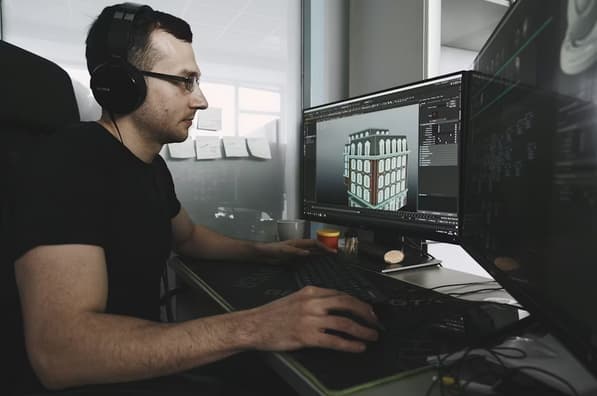
Entering the world of 3D design can feel like stepping into a different dimension. The learning curve is notoriously steep, and the sheer variety of tools available can lead to “analysis paralysis.” For a newcomer in 2026, the choice of software often dictates the career path they will eventually follow. It is important to remember that most skills are transferable, but each program has its own specific logic and community. If you are just starting out, you might feel overwhelmed by the costs associated with professional suites, much like someone looking for a casino 5 euro deposit option to test the waters without a major financial commitment. Finding a low-barrier entry point is essential for sustainable growth in this field.
The “best” software doesn’t exist; there is only the best software for your specific goals. Are you interested in making characters for video games, designing futuristic architecture, or creating visual effects for movies? Each of these niches has a “standard” tool. However, for a beginner, the focus should be on accessibility, the quality of tutorials available online, and how intuitive the user interface feels.
Blender: The Unstoppable Free Powerhouse
In 2026, Blender is no longer the “underdog” of the 3D world; it is a titan. Because it is open-source and entirely free, it has the largest community of learners and teachers on the planet. Blender is a “Generalist” tool, meaning it can do everything from modeling and sculpting to animation and video editing.
The primary advantage for a beginner is the sheer volume of free resources. If you run into a problem, someone has likely solved it on a forum or in a video tutorial. However, Blender’s greatest strength is also its weakness. Because it can do everything, the interface is incredibly dense. It takes time to learn where everything is hidden, but once you master its keyboard-driven workflow, you can work faster than in almost any other program.
Autodesk Maya and 3ds Max: The Industry Standards
If your goal is to work at a major studio like Pixar or Ubisoft, you will eventually need to learn Autodesk software. Maya is the king of animation and character rigging, while 3ds Max remains the favorite for architectural visualization and product design.
These programs are expensive, though they offer educational licenses for students. The learning curve is comparable to Blender, but the tools are more specialized. Maya’s workflow is highly “procedural,” which is great for large teams working on complex movies but can feel restrictive for a solo artist. For a beginner, starting here is a “deep end” approach—it is difficult, but it prepares you directly for a professional environment.
ZBrush: The Digital Clay
For those who are more artistic than technical, ZBrush offers a completely different approach. Instead of moving points and edges (polygons), you “sculpt” with digital clay. It is the industry standard for character design and high-detail organic models.
ZBrush is not great for making a car or a building, but it is unrivaled for making monsters, humans, and animals. Its interface is famously “weird” and does not follow the standard conventions of other 3D software. However, for someone with a background in traditional sculpture or drawing, it can feel much more natural than the mathematical approach of Blender or Maya.
Key Comparison for Beginners
To help you decide, consider how these tools stack up across the most important categories for a student.
| Software | Primary Use | Cost | Difficulty |
| Blender | Everything (Generalist) | Free | Moderate |
| Maya | Animation / VFX | Subscription | High |
| ZBrush | Sculpting / Characters | Subscription | Moderate |
| Cinema 4D | Motion Graphics | Subscription | Low |
| SketchUp | Basic Architecture | Free/Paid | Very Low |
Cinema 4D: The Motion Designer’s Choice
If you are interested in the abstract, beautiful animations seen in advertisements and tech product launches, Cinema 4D (C4D) is likely your best choice. It is widely considered to have the most intuitive and “friendly” user interface of all professional 3D tools. Its “MoGraph” module allows beginners to create complex, stunning animations with just a few clicks. While it is not as powerful as Maya for character animation, its ease of use makes it a favorite for graphic designers who want to move into the 3rd dimension.
Making the Final Decision
For 90% of beginners in 2026, the recommendation is to start with Blender. The fact that it is free allows you to experiment without any financial pressure. You can spend six months learning the basics of geometry, lighting, and rendering. If you find that you love the process but want to move into a specific professional niche, you can then transition to Maya or C4D with a solid foundation already in place.
- Define your goal: Character art, arch-viz, or motion graphics?
- Check your hardware: Does your computer have a dedicated GPU? (ZBrush is CPU intensive, while Blender and Maya thrive on GPUs).
- Start small: Don’t try to build a city on day one. Start with a donut or a simple chair.
The 3D industry is constantly evolving, and the software you choose today might not be the one you use in five years. The most important thing is to start. Pick a tool, stick with it for three months, and focus on learning the principles of 3D space rather than just memorizing buttons.
